
Hidden Groups
Hidden Groups enables communities to safely include sensitive (ex. health support group) or audience-specific conversations (admin-only planning). In a community, every subgroup was visible to every member. Giving group admins control over visibility made Communities suitable for more of the groups people already relied on, while community admins retained oversight.
IMPACT
12% feature adoption
OF THRIVING COMMUNITIES CREATED SINCE LAUNCH HAVE AT LEAST ONE HIDDEN GROUP.
64% positive sentiment
PERCENT OF COMMUNITY USERS RATED HIDDEN GROUPS A MUST-HAVE OR NICE-TO-HAVE
+1.3% group adds
LONG-TERM INCREASE IN GROUPS ADDED TO COMMUNITIES.
+1.6% group creates
LONG-TERM INCREASE IN GROUPS CREATED IN COMMUNITIES.
RESULT
Hidden Groups gave communities a way to keep sensitive work, academic and admin-only conversations together without exposing them to everyone else. The rollout had no lasting regressions and was tracking toward the goal of 11,000 additional thriving communities.
PEOPLE
PROBLEM
Every group added or suggested in a WhatsApp Community was visible to all community members. Membership approval could restrict who joined, but admins had no way to hide a subgroup.
This could make people hesitant to bring sensitive or audience-specific groups into Communities.
Sensitive conversations need privacy.
Every subgroup was visible to the entire community, limiting space for health support or private discussions.
UXR INSIGHT
Interviews highlighted the importance of privacy and safety. Research supported keeping hidden groups permanently hidden to protect those expectations.
Some conversations are for a specific audience.
Admin planning and other restricted discussions need privacy while preserving community admin oversight.
PRODUCT CONSIDERATION
Membership approval controls who joins, but doesn’t hide the group from other community members.
People need to understand what “hidden” means.
Visibility must be clear before people share sensitive information.
UXR INSIGHT
12/14 participants immediately understood the crossed-out eye icon with the “Hidden group” label. “Hidden groups” and “Group visibility” tested best for comprehension.
DESIGN
PRINCIPLES
- Empower members, keep admins in the loop. Members can create safe spaces to talk, while admins can still see hidden groups and manage their community.
- Protect privacy and safety. Only invited members and community admins can see a hidden group. Once hidden, it cannot become visible again, protecting members’ expectations of privacy.
- Make it easy to understand. Admins and members should know exactly how hidden groups work, so they trust them with what matters.
SOLUTION
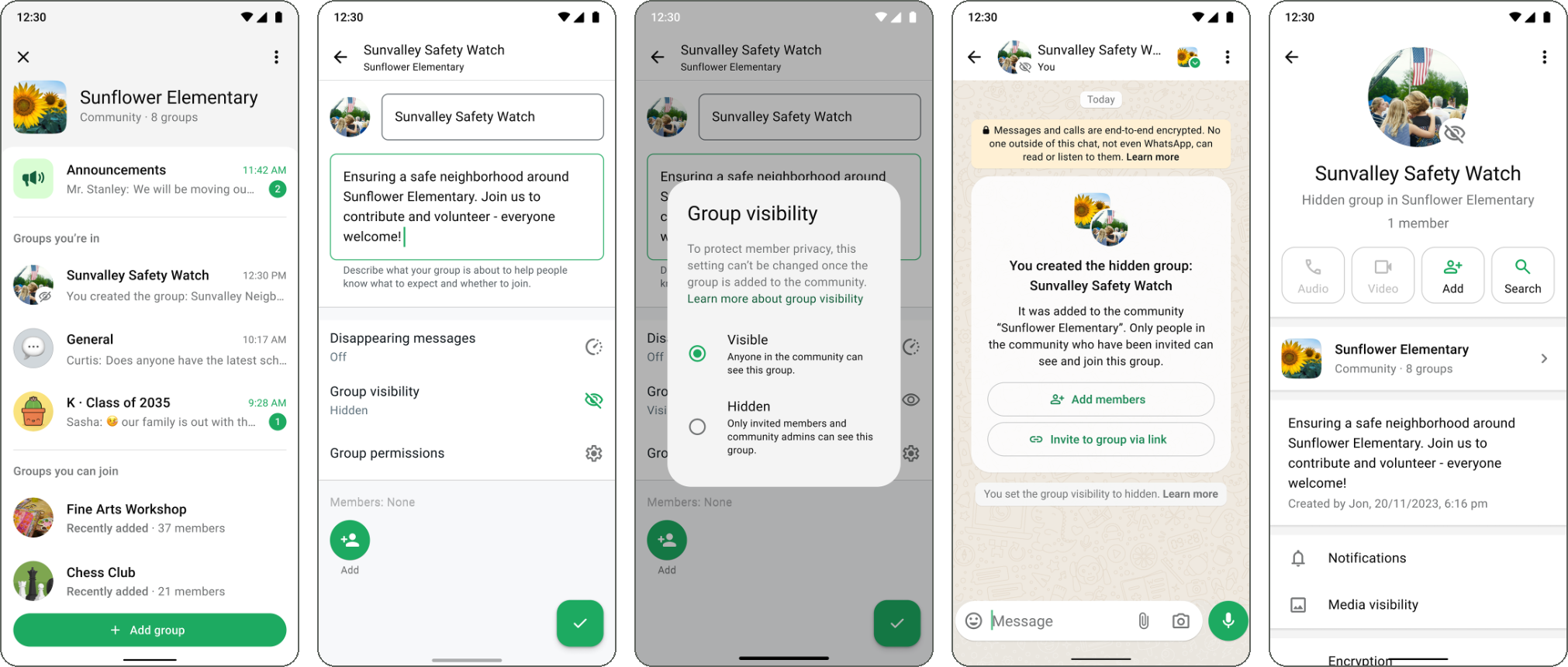
New setting in creation and linking flows
I added a Group visibility setting to two flows: (1) Group admins can make a new group hidden when they create it in a community, or (2) make an existing group hidden when they link it to a community. By default, the setting is set to visible.
Creating a hidden group
Linking an existing group
Group visibility setting
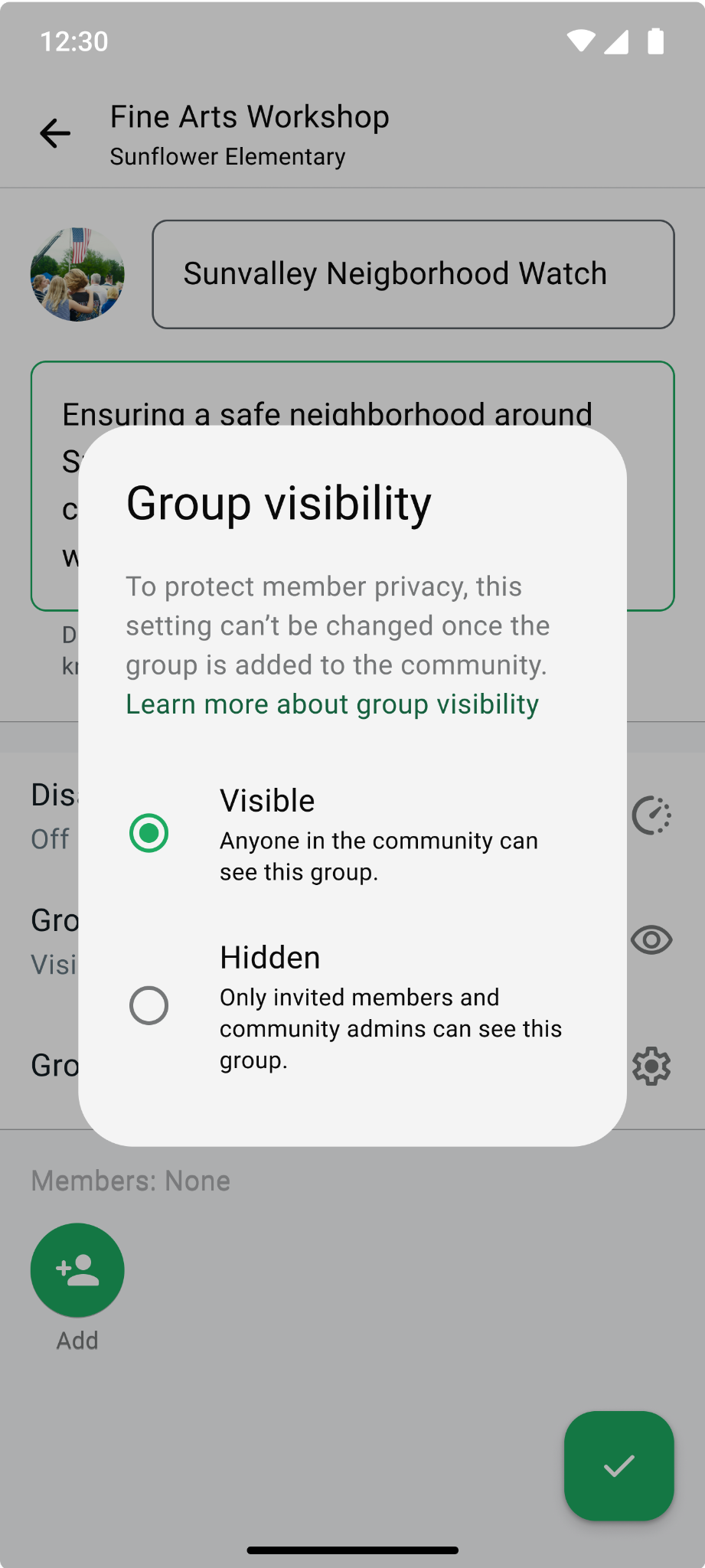
PRODUCT DECISION
A one-way door. Once a group is hidden, it stays hidden. Making it visible again would expose group details to the wider community. That decision placed the setting at the point of creation or linking, before the group appears in the community.
The Privacy team strongly supported the one-way setting in our Safety & Integrity review. UX research also recommended it after interview sessions showed how important privacy and safety were to members.
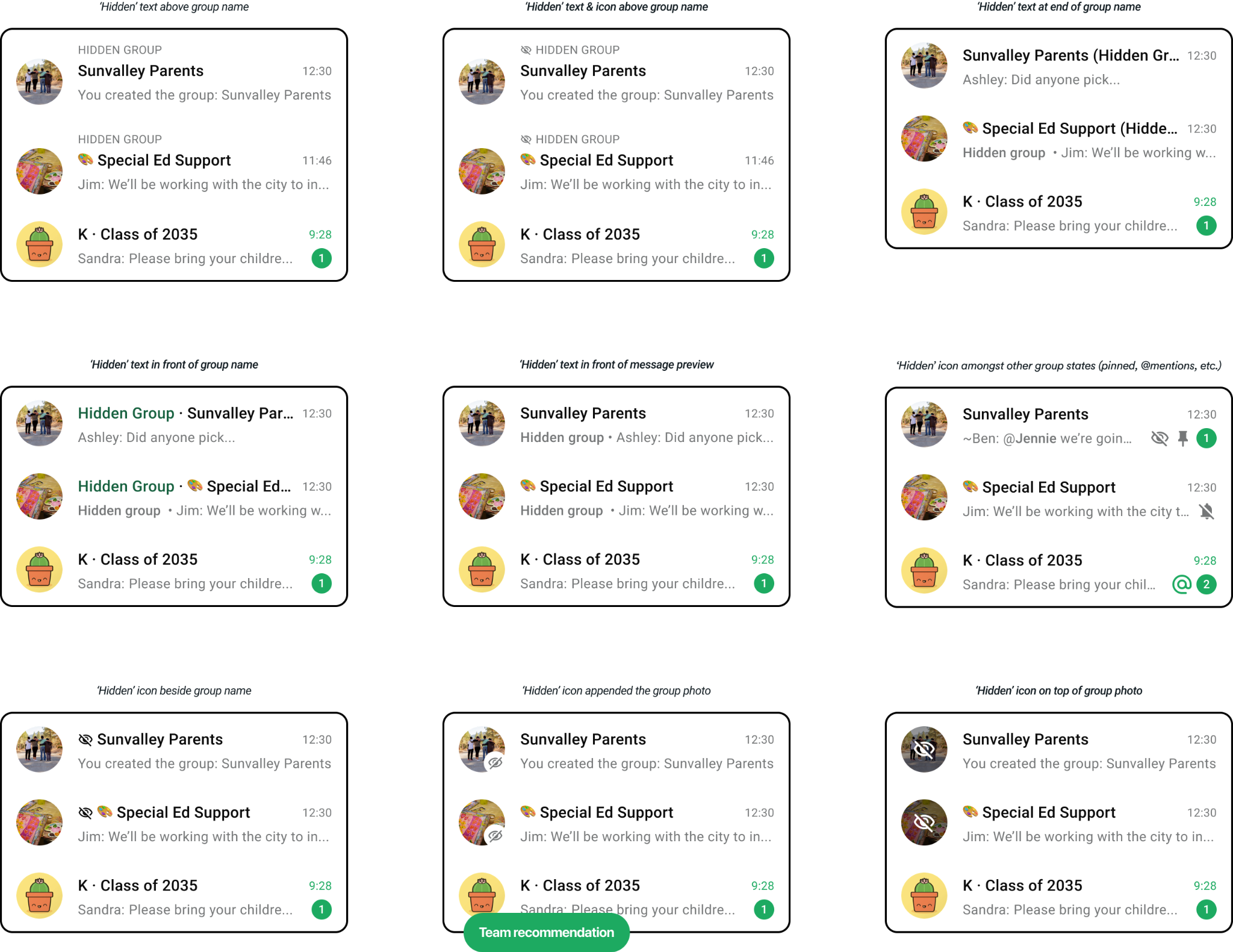
Visually differentiating hidden groups
I explored various ways to mark a hidden group in the community and Chats tab. I landed on the simplest treatment of showing an icon appended on top of the group profile photo.
Clarity about hidden groups
It was important to ensure group admins and members understood the group’s visibility and what it meant for their privacy. I reinforced this across the chat and Group Info with visual indicators, a system message, and clear explanations of who could see and join the group.
- Hidden group indicator on top of the group profile photo
- System message informing all group admins
- Text in subtitle in Group Info
- Group visibility row in Group Info
What each person ‘sees’
Visibility follows a person’s relationship to the group. Hidden groups appear in the community and chat list for their members, while other community members cannot discover or request to join them. Community admins can still see them for awareness and moderation, but need an invitation to participate.
Creator & invited member(s)
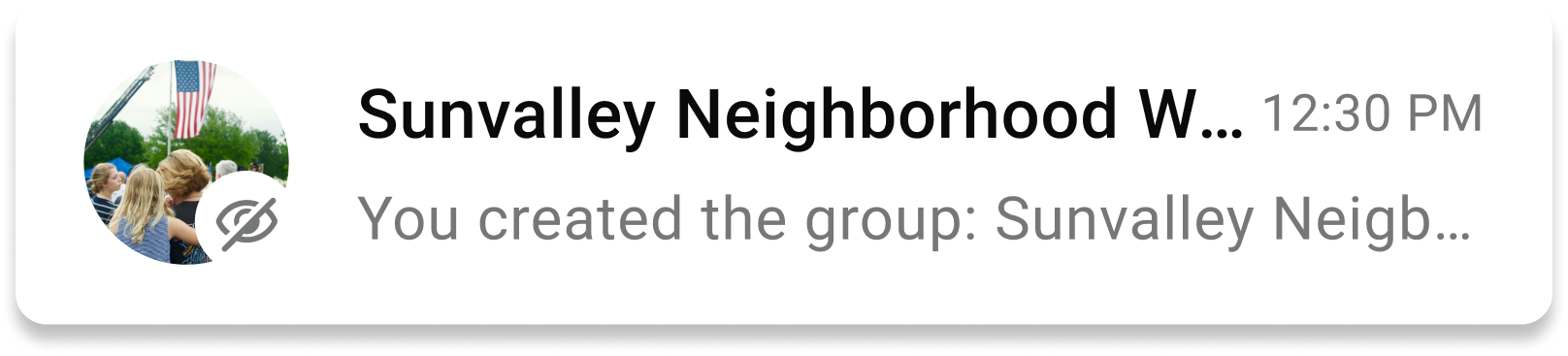
DESIGN CONSIDERATION
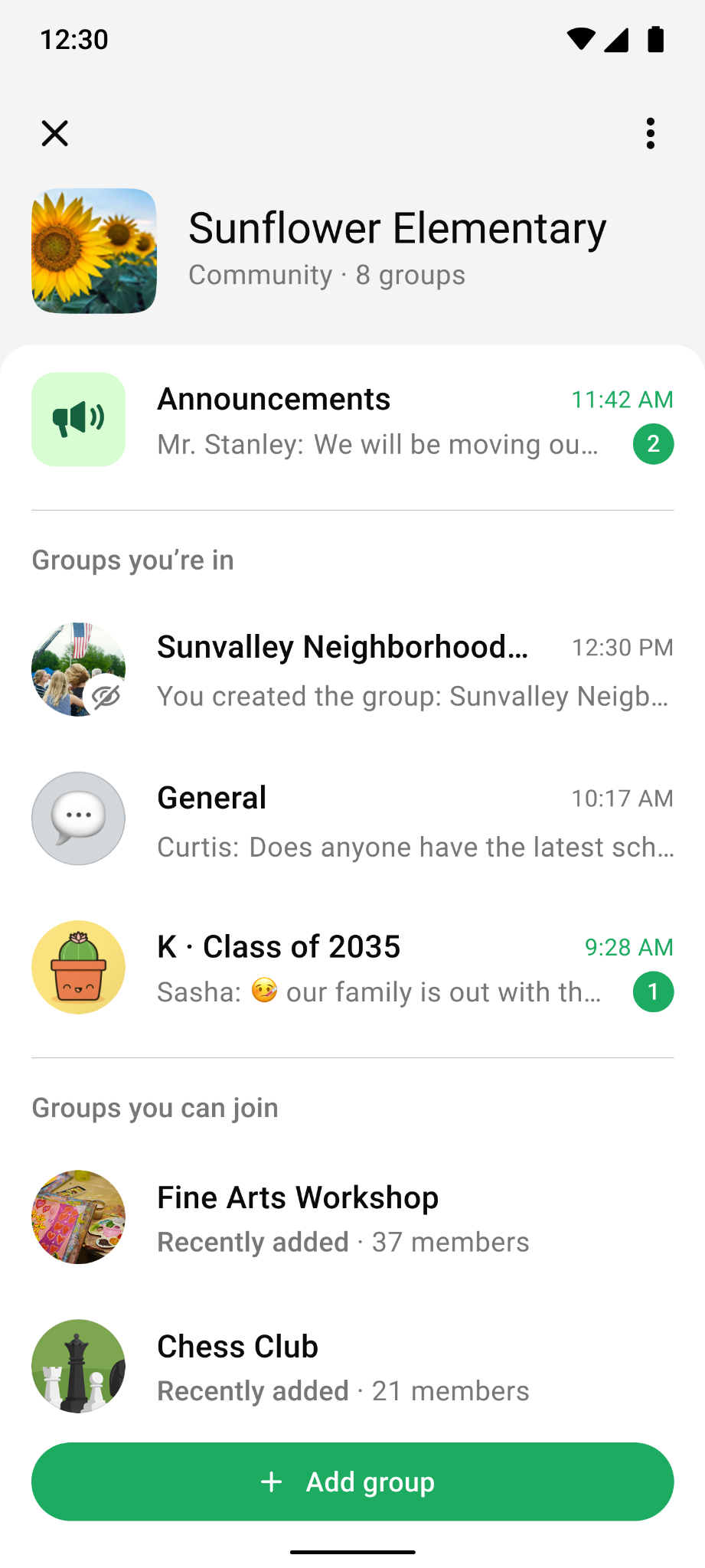
Members of the group see it in the community with the hidden icon. Invite links still work, so they can share it flexibly.
Everyone else in the community
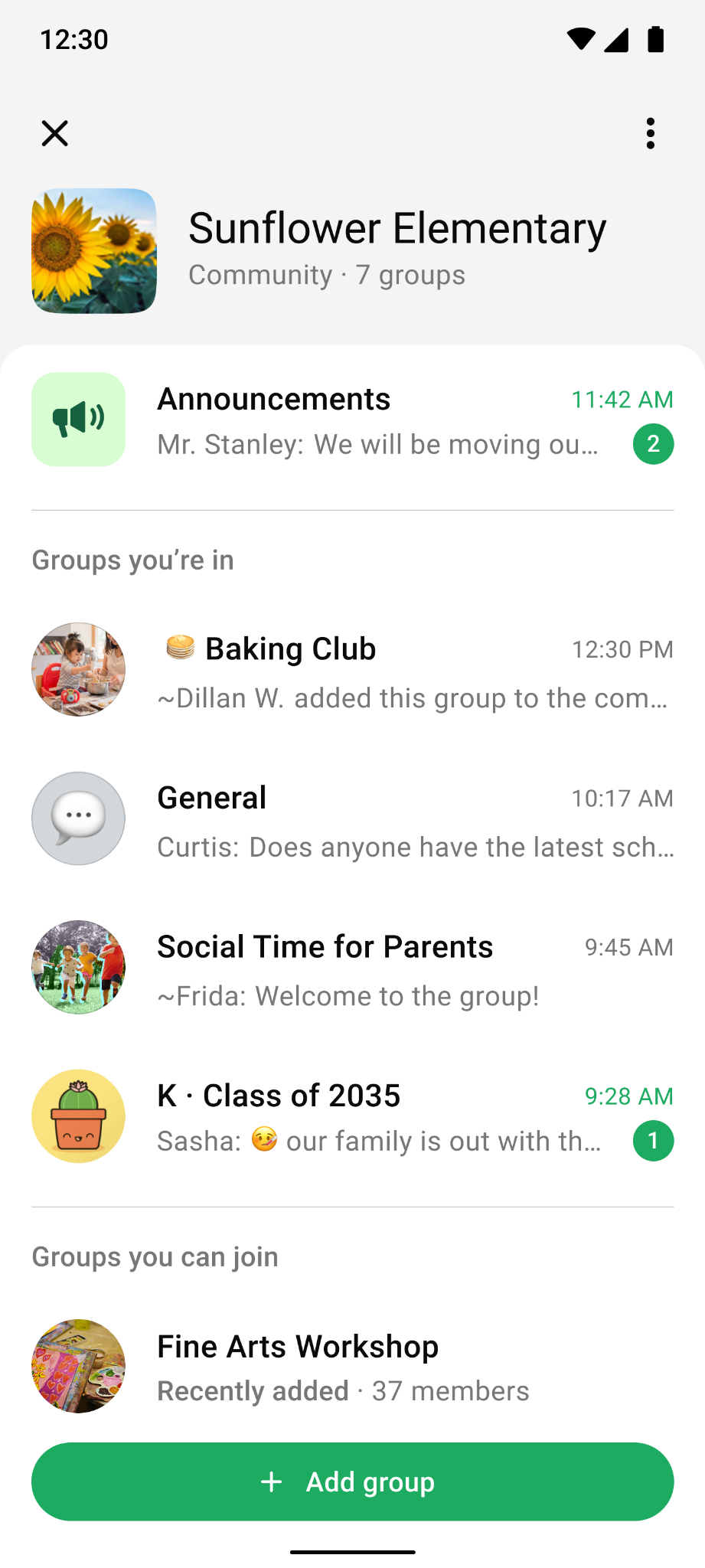
DESIGN CONSIDERATION
For anyone else in the community, the group never appears, anywhere.
Community admin
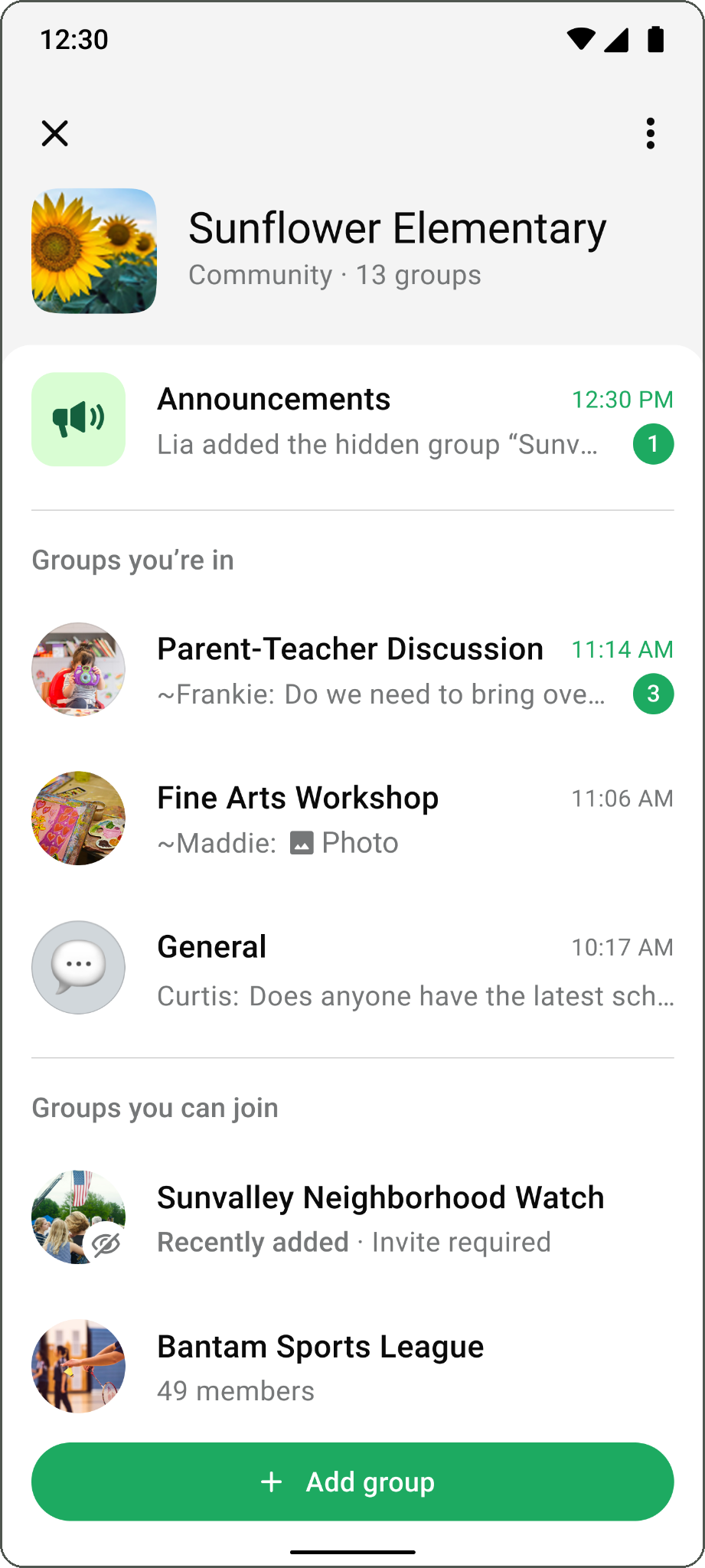

DESIGN CONSIDERATION
Community admins can still see hidden groups in the “Groups you can join,” section (and other surfaces in the community) for awareness and moderation.
Admins can see, but can’t join
Community admins retain responsibility for the whole community. They can see hidden groups, contact a group’s owner to learn more, and remove a group from the community when necessary. They cannot join or request to join without an invitation, preserving the group’s privacy while keeping community management possible.
RESULT
Hidden Groups rolled out cleanly with no regressions and grew thriving communities in line with its goal. People used it for work and academic groups, surprise planning and admin-only chats.
REFLECTION
What’s planned next
A community-level switch. Some communities, especially more top-down ones, may not want or need hidden groups at all. However, we had no strong signal in UX research but this highlighted the benefit of building incrementally. There is a constant tension of providing the right controls vs. overloading admins with options.
Preventing screenshots. Research participants worried about people screenshotting hidden groups. I looked at how Netflix, Instagram and Telegram handle this as a starting point.
Revisiting the one-way door. If research and dogfooding showed admins needed more flexibility, letting group admins switch visibility could be reconsidered.